Know your real return
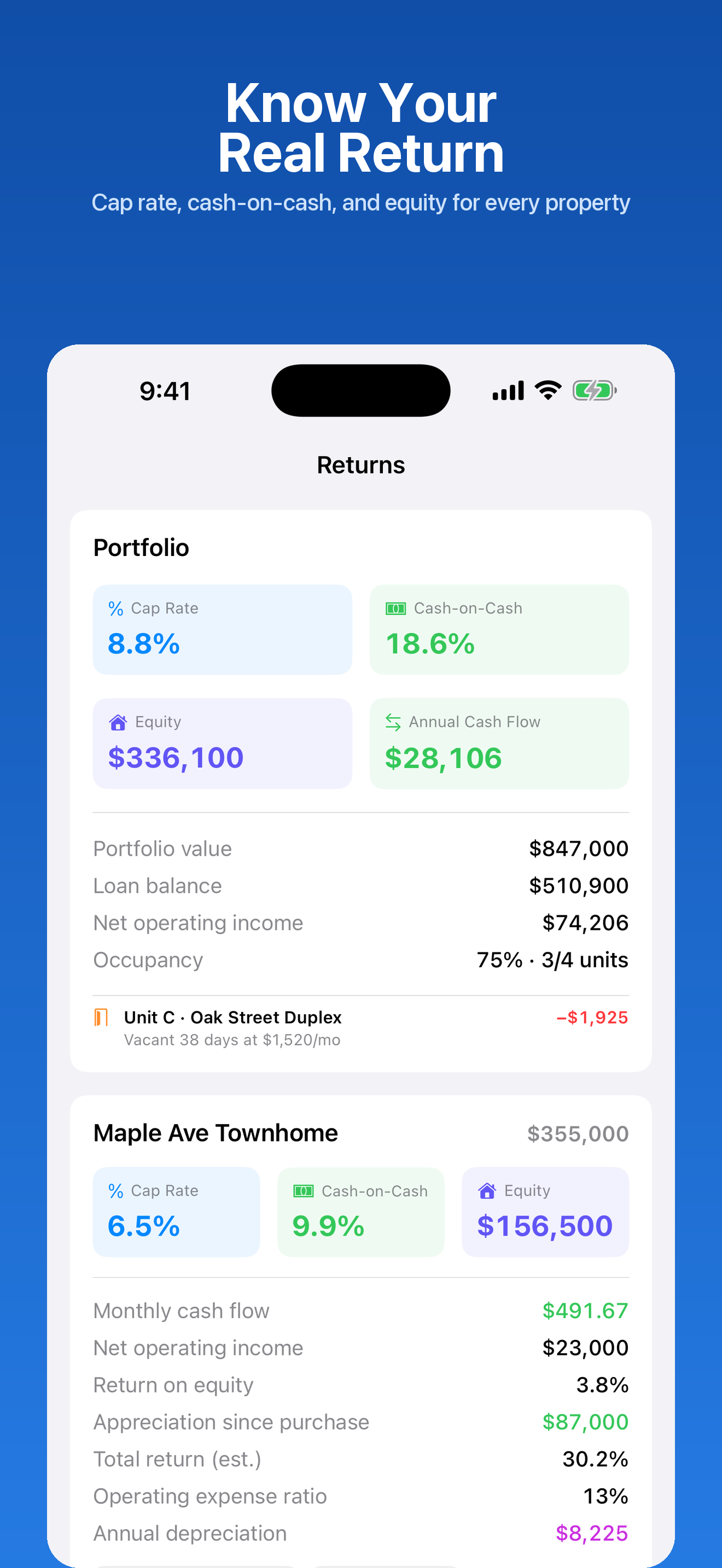
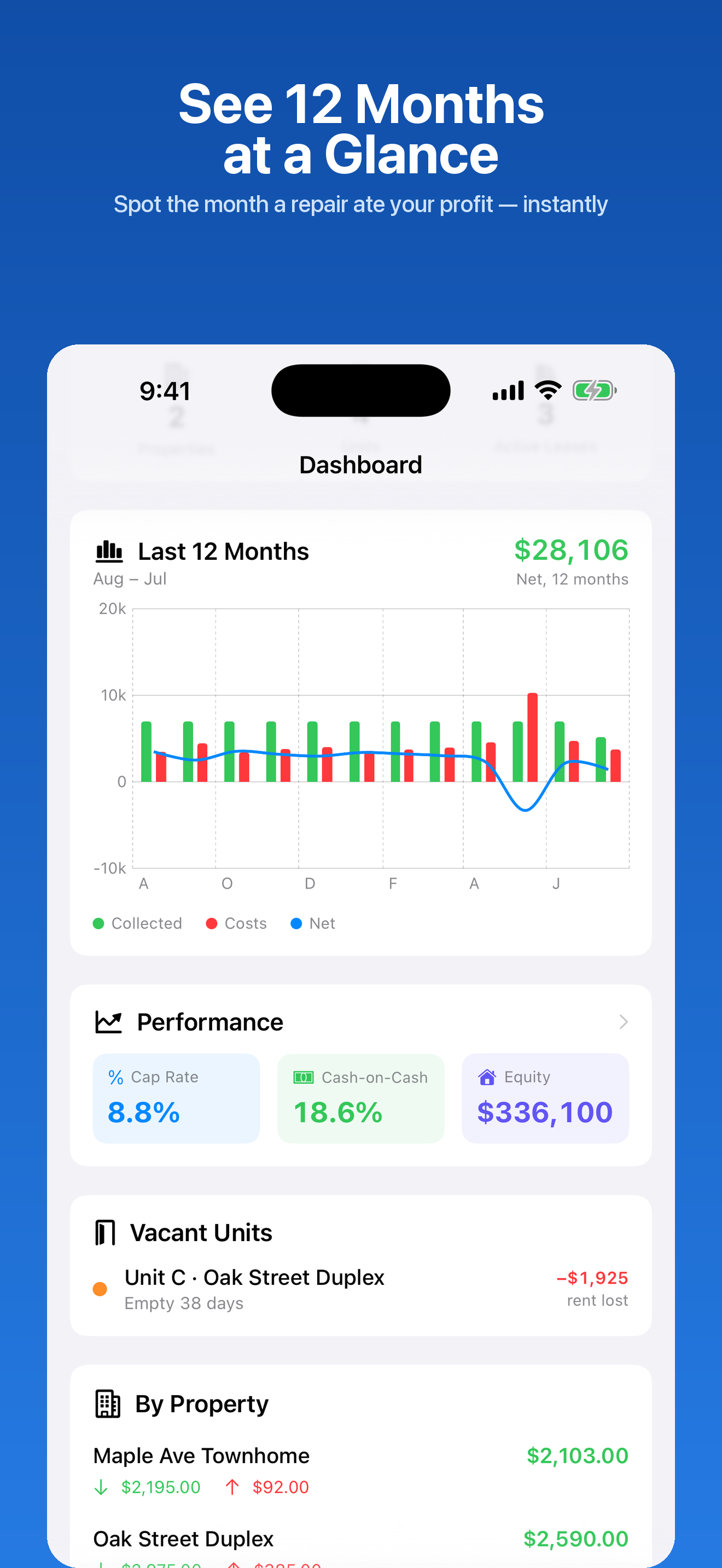
Cap rate, cash-on-cash, equity, return on equity, operating expense ratio, GRM, and the 1% rule — per property and across the portfolio.
For landlords who self-manage
Most rental apps tell you what came in this month. Rental Manager tells you whether the deal is any good — and hands your accountant a finished Schedule E packet at tax time.
$9.99 once. No subscription, no account, no cloud.
Rental software is mostly cloud platforms that charge every month and want an account before they'll show you your own numbers. This isn't that.
Rent and paperwork on one side, real investment math on the other.
Cap rate, cash-on-cash, equity, return on equity, operating expense ratio, GRM, and the 1% rule — per property and across the portfolio.
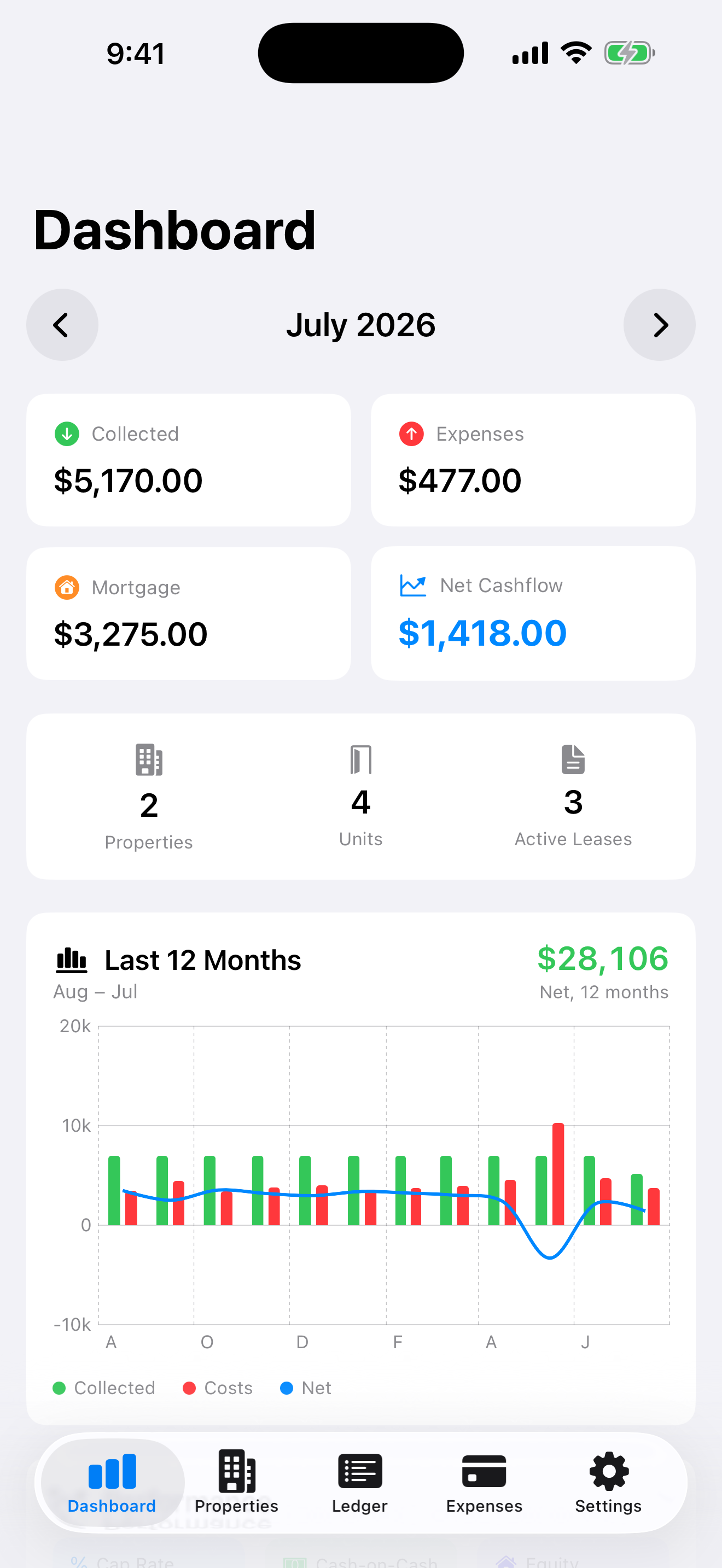
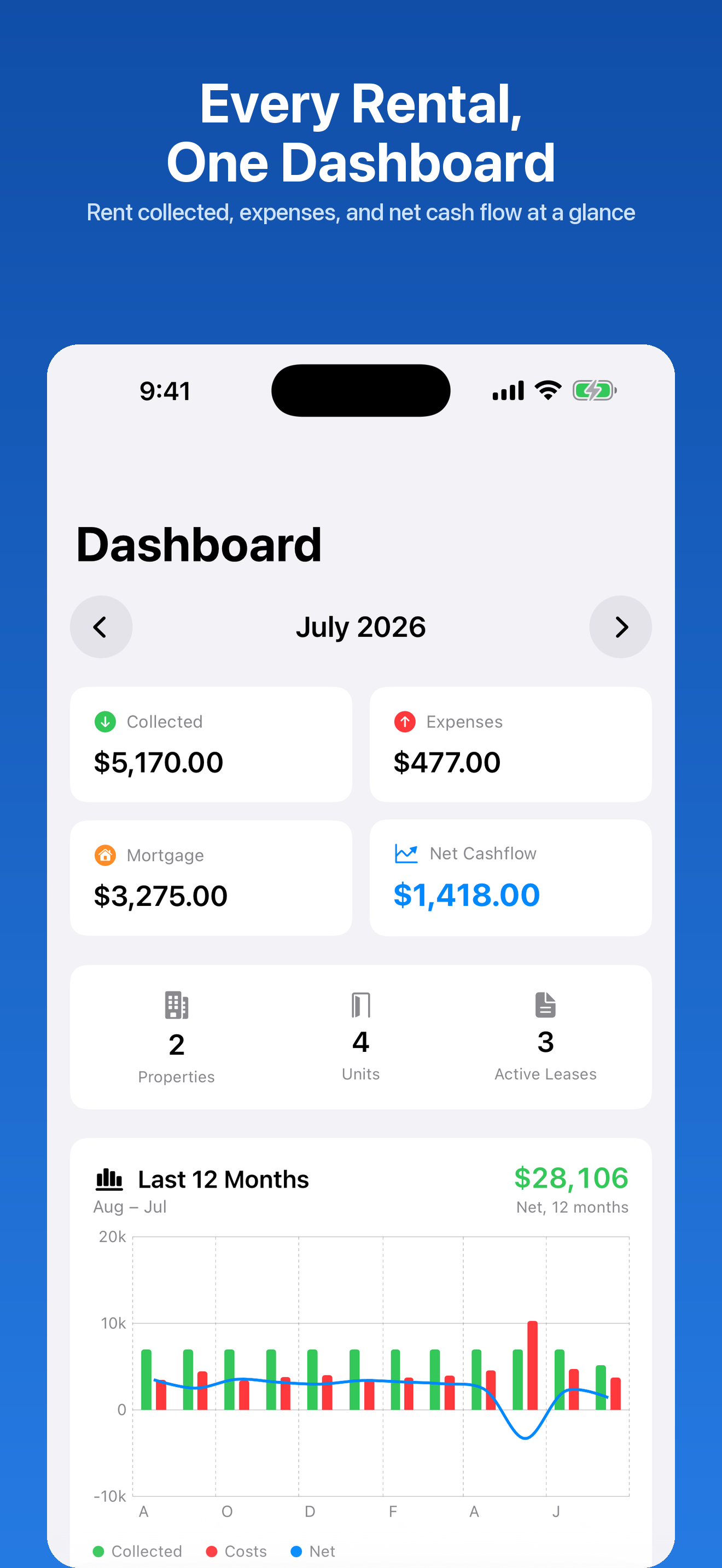
A 12-month chart of rent collected against expenses and mortgage payments, with your net cash flow on top. Tap any month for detail.
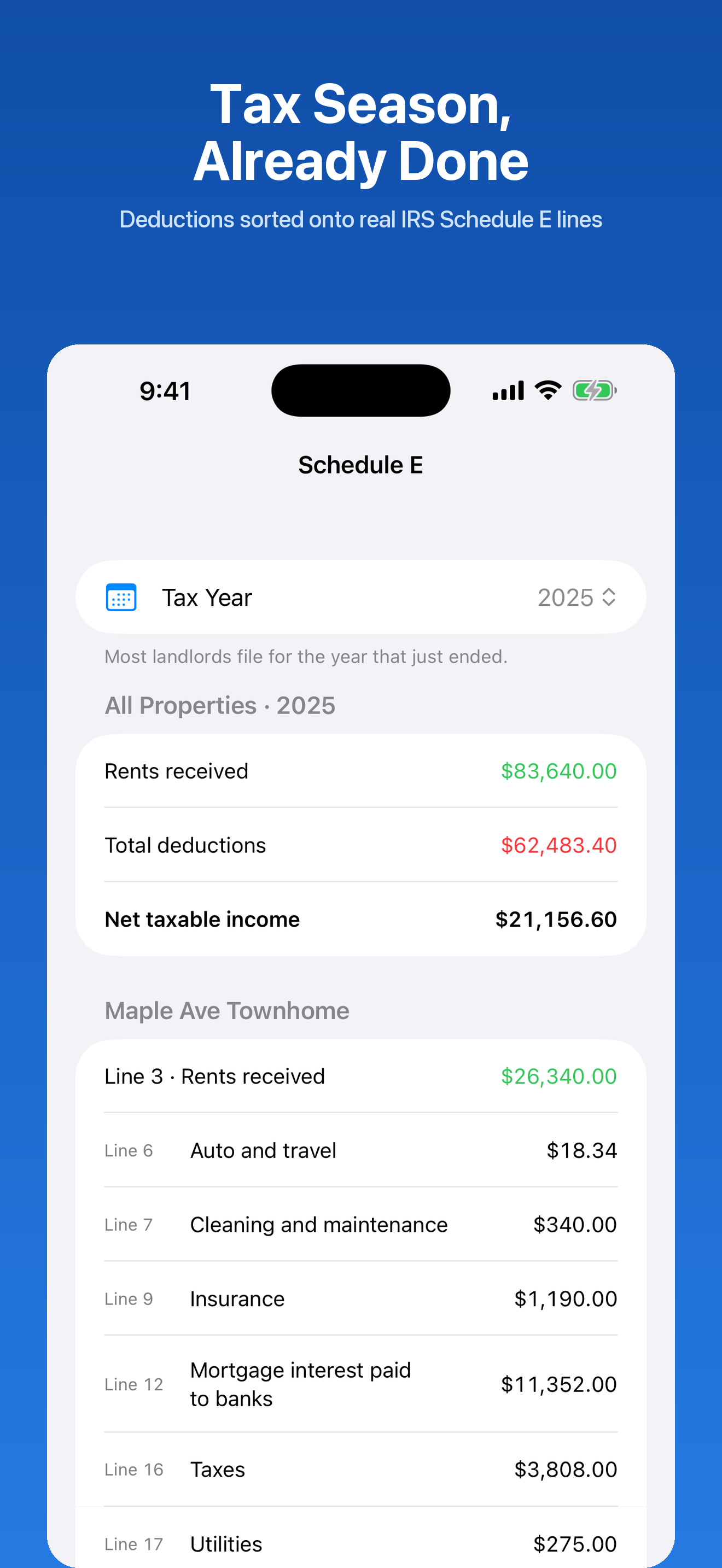
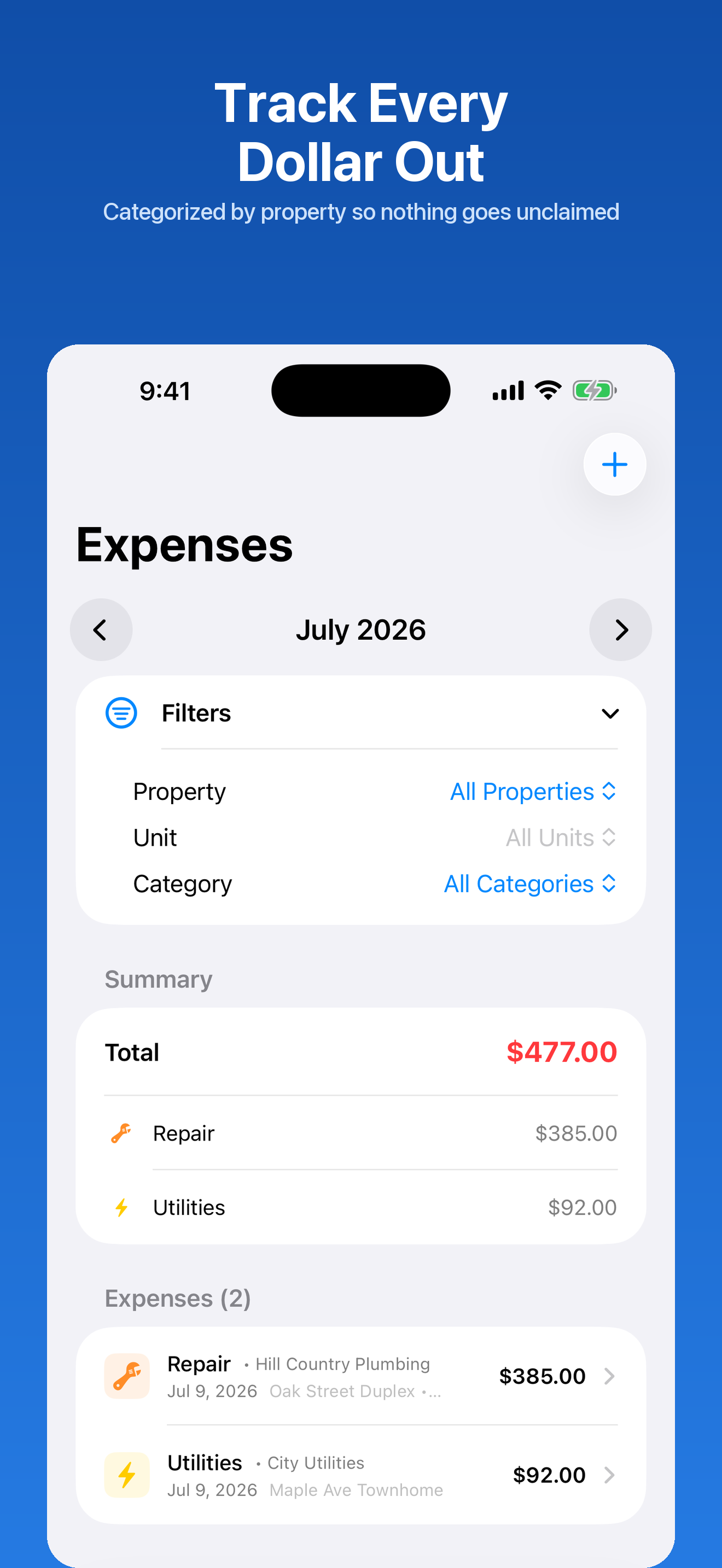
Every expense sorted onto its real IRS Schedule E line, per property, per year — with depreciation and mortgage interest split out. Export a PDF packet or raw CSV.
Monthly rent charges created automatically. Partial payments, balances, overdue tracking, PDF receipts, and full tenant statements.
On-device reminders for rent due, late rent, lease renewals at 60 and 30 days, mortgage payments, and security deposit deadlines.
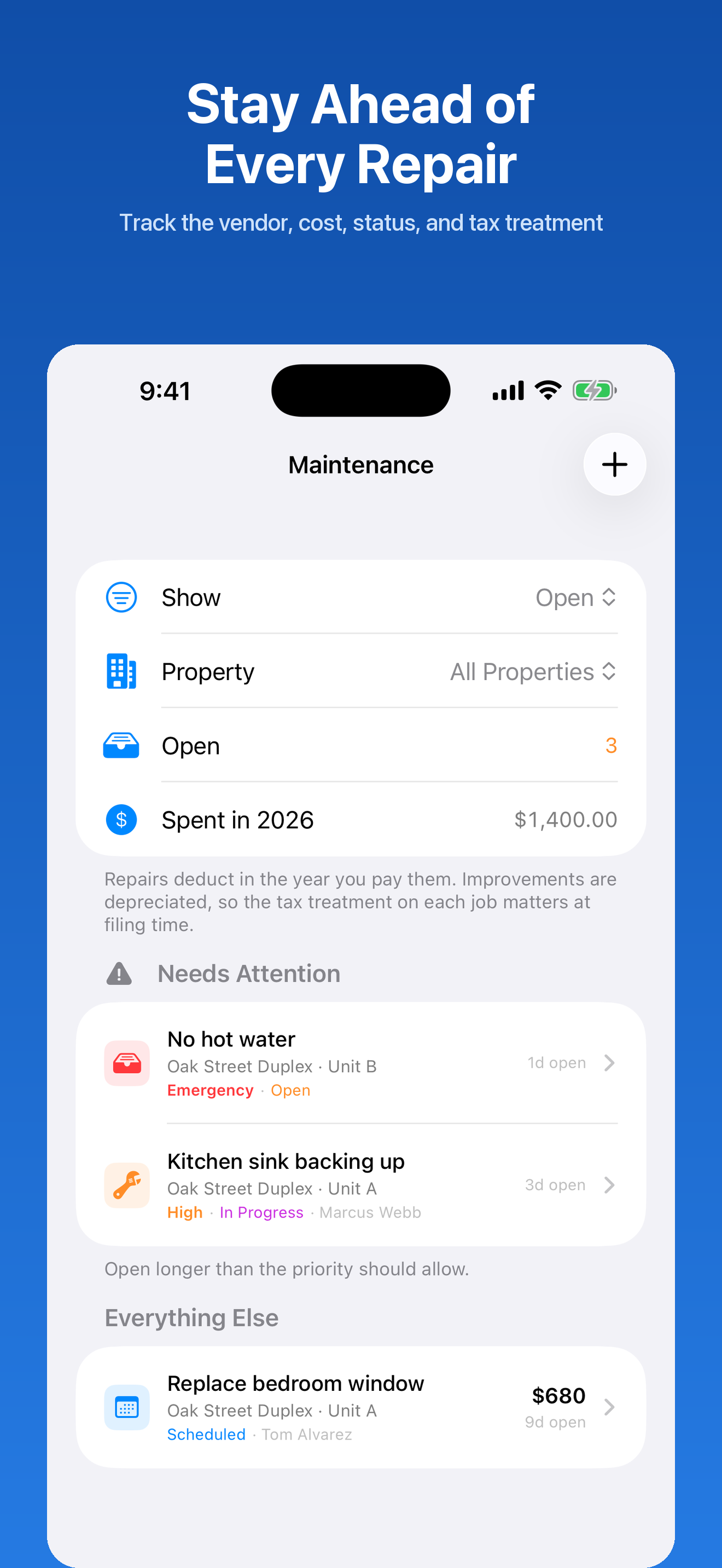
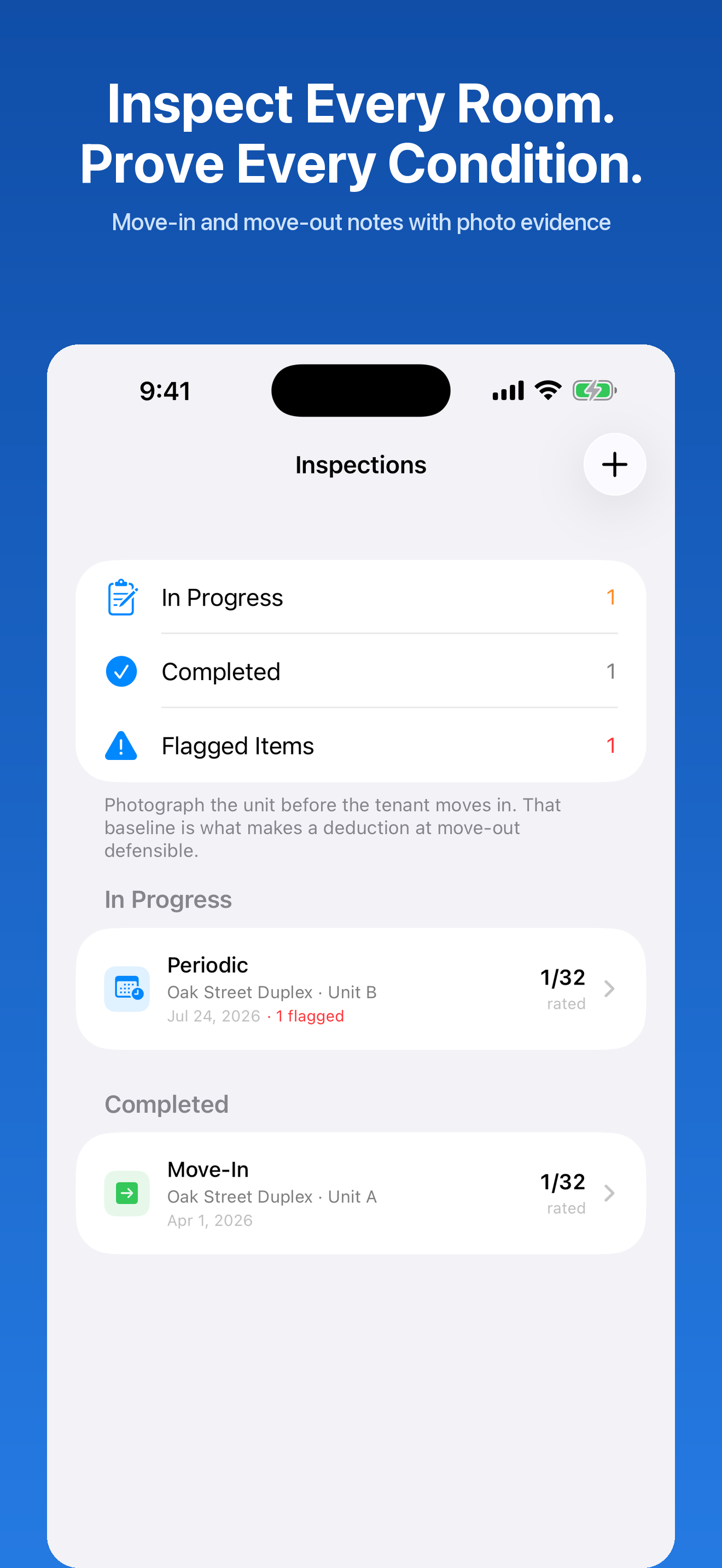
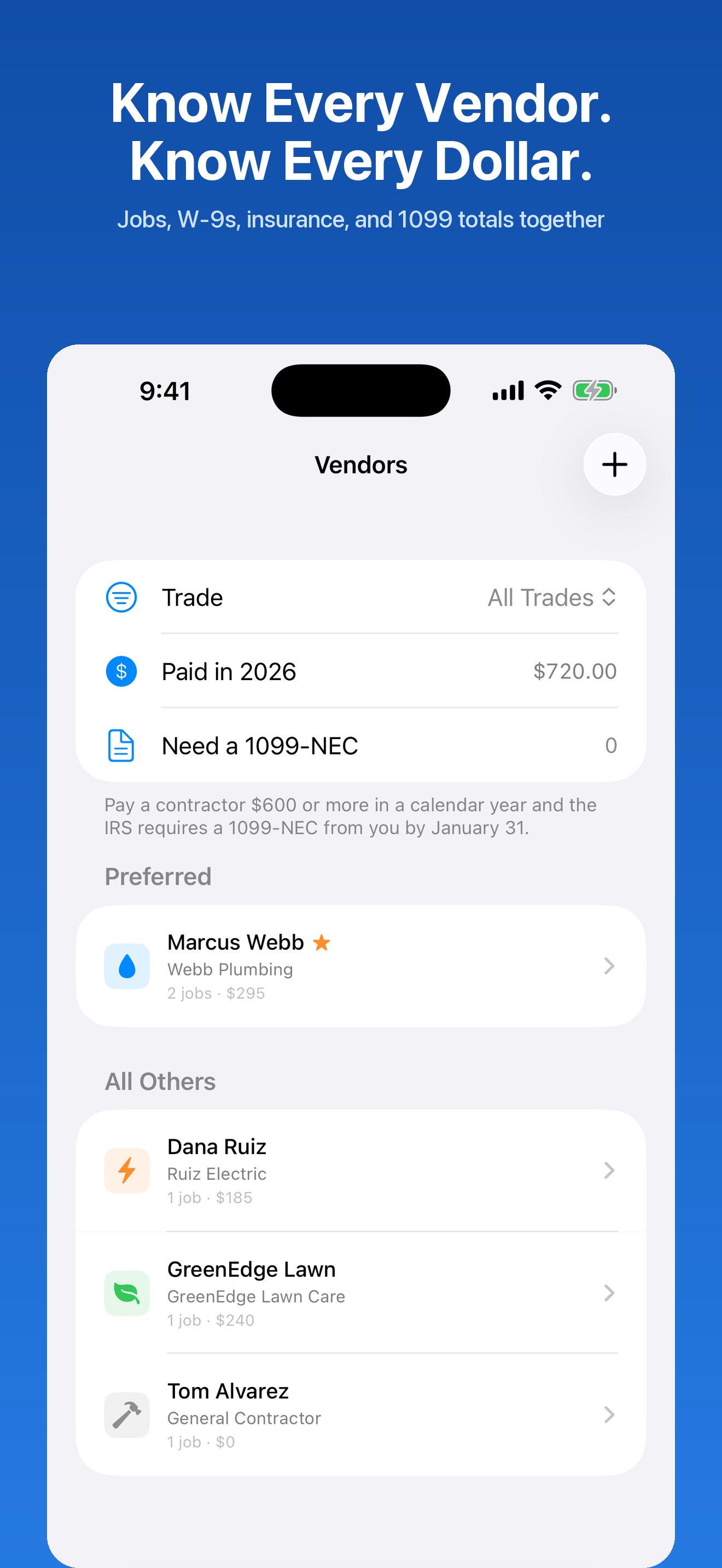
Work orders with costs, priorities, and photos. Room-by-room move-in and move-out inspections. Vendor insurance, W-9, and 1099 details in one place.
Log trips to showings, inspections, and repairs at the IRS standard rate. Trips tied to a property flow straight into that property's deduction.
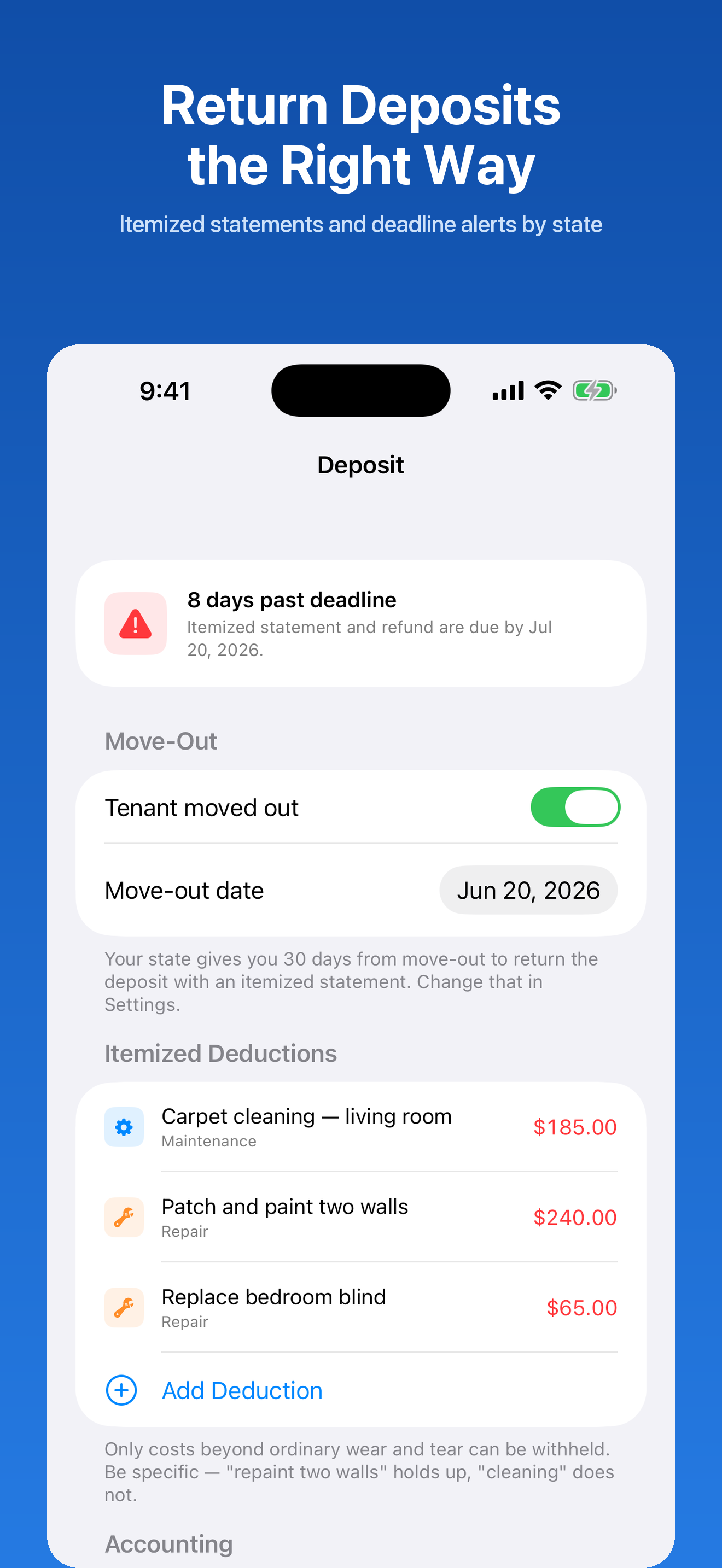
Record the move-out, itemize deductions, watch the countdown for your state's deadline, and generate the statement your tenant is owed.
Scan with the camera or attach photos and PDFs to any expense or lease. A deduction with a receipt behind it is one you can defend.
Tap any screen to see it full size.
Nothing to configure before you get value out of it.
Address, units, purchase price, and mortgage. Or explore with the sample portfolio first.
Rent posts automatically each month. Snap receipts for expenses, log mileage after a trip.
Cap rate and cash flow update as you enter data. No spreadsheet, no month-end ritual.
Generate the Schedule E packet, hand it to your accountant, and be done.
No. It's $9.99 once on the App Store and that's the entire cost. No tiers, no add-ons, no renewal.
No. There's no sign-in, no email, and no server. Open the app and start entering properties.
On your device. The app works completely offline and makes local backups you control. Nothing is uploaded anywhere.
Not currently. Because everything is stored locally with no account, your portfolio lives on the device you enter it on. Use the local backup if you switch phones.
Yes — as many properties and units as you want, with returns calculated per property and across the whole portfolio.
No. It organizes your records into IRS Schedule E categories and exports a packet, which makes filing far easier. It isn't tax or legal advice — confirm your filing with a qualified preparer.
Yes. The app runs on iPhone and iPad from the same purchase.
One purchase. No subscription, no account, no cloud.
Download on the App Store — $9.99